Like Nastya: Party Time
- 4.7
- Rating
- 10.00M
- Installs
- Free
- Price
 Analysis by App-foxy
If you are choosing a first educational game for a young child, the most important question is not whether it has a familiar character. It is whether the experience feels approachable, stays understandable, and gives the child a reason to keep exploring without turning play into a chore. I spent time with Like Nastya: Party Time with that decision in mind. It is a free children’s game from Like Nastya Official, built around a birthday party with Nastya and her friends rather than around a broad collection of unrelated lessons.
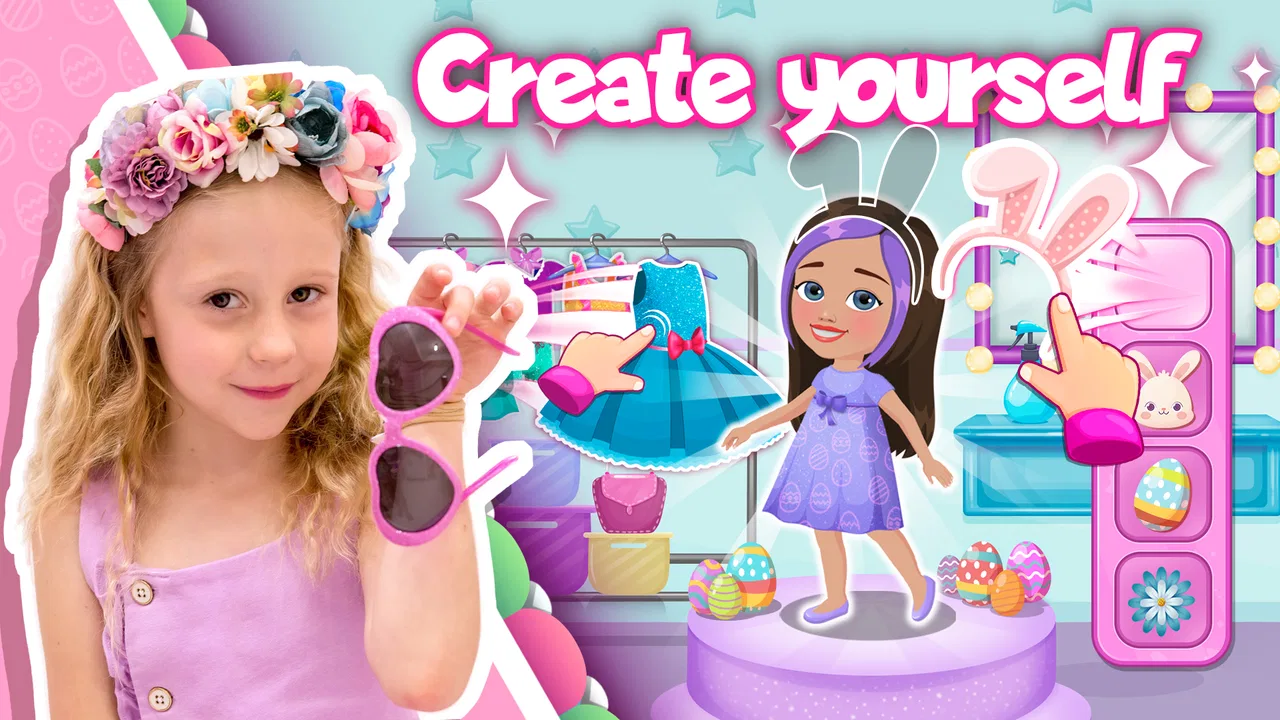
That focus gives it a clear personality. The game is aimed at children who already enjoy Like Nastya and want to enter a playful version of that world, while the educational side is presented through party-themed activities. I found that combination more inviting than a plainly instructional app, especially for a child who might resist anything that looks too much like schoolwork. At the same time, its character-led design means it will not suit every family equally well.
How to decide whether this party game fits your child
I would start with the child’s age, attention span, and relationship with screen games. The content rating is Everyone, and the minimum operating-system requirement is Android 7.0, so it is positioned for a broad family audience. That does not mean every child will find the same activities equally engaging. A preschooler who likes tapping through colorful scenes may enjoy it immediately, while an older child looking for difficult puzzles or a deeper progression system may outgrow it quickly.
You May Also Like

 Blood Strike: 2.5 Anniversary
Blood Strike’s Loadouts Turn Every Drop Into a Tactical Gamble
A close look at Blood Strike’s custom loadouts: how fast access to signature weapons reshapes its battle royale rhythm, rewards preparation, and narrows the gap between fights.

 Pandora - Music & Podcasts
Pandora’s Music Is Easy to Start, but Harder to Recover
Pandora’s strength is its low-effort path from a seed to a station. Its weak spot is how much confidence it asks you to place in connection, setup, and quiet recovery.

 8 Ball Pool
 Is Built on Rivalries, Rematches, and Routine
A close look at the rivalries, rematches, shared routines, and unanswered safety questions that turn a quick pool match into a persistent mobile community.

 Samsung Music
’s Quiet Strength Is Playing What You Already Own
Its reach comes less from spectacle than from dependable access to a personal library. That simplicity is both the app’s strongest retention engine and its ceiling.

 AccuWeather: Weather Radar
AccuWeather Review: A Quick, Clear Forecast for Everyday Decisions
For everyday plans, the best forecast is the one you can understand quickly. AccuWeather makes rain timing, radar, and local conditions easy to act on, with a few trade-offs.

 Hill Climb Racing
Why Hill Climb Racing Still Turns Crashes Into One More Run
A tiny car, a bumpy hill and one more upgrade: Hill Climb Racing keeps resurfacing because its simple chaos makes every near-miss feel personal.
More From Our News Desk



The second question is whether the Like Nastya theme is a genuine advantage in your home. Familiarity can remove the hesitation that often appears when a child opens a new learning app. A recognizable character, a birthday setting, and friends create an easy starting point. However, if your child does not know Nastya or prefers animals, vehicles, drawing, or traditional puzzle characters, the theme may add little. In that case, a neutral educational game could be a better match because its appeal would come from the activity itself.
I also consider how the child will play. This is better suited to short, supervised or semi-supervised sessions than to a long independent gaming session. Party activities naturally encourage quick interaction, and that makes the game useful when you need a small, contained activity during a quiet part of the day. I would not choose it as the only educational tool for a child who needs structured practice in reading, mathematics, spelling, or another specific subject.
One practical detail matters before installation: the game is free to download, but it includes individual in-app purchases ranging from $0.99 to $14.99. I would check the purchase settings on the device before handing it to a child. The free entry point makes trying it easy, but the presence of optional paid items means “free” should be understood as a way to begin, not as a promise that every part of the experience is available without spending.
What the birthday setting changes
The party theme gives the activities a simple reason to exist. Instead of presenting isolated exercises, the game places them inside a social event with Nastya and her friends. In my experience, that framing helps young players understand what they are doing: they are participating in a celebration, not merely completing a worksheet on a screen.
This is one of the game’s less obvious strengths. A child can be motivated by the idea of helping with a party even when the underlying educational task would not attract attention on its own. Parents can use that motivation as a bridge: ask the child what happened at the party, which friend appeared, or what they had to do next. Those questions turn a short play session into a conversation rather than leaving the screen experience isolated.
The same design can also be a limitation. A party setting is excellent for a child who enjoys pretend play and familiar characters, but it may feel repetitive to someone who wants changing worlds or a clear challenge ladder. I would pay attention during the first few sessions to whether the child is making choices and thinking about the activities, or simply tapping through familiar faces and animations.
Where this game is strongest
The clearest advantage is its low barrier to entry. The game does not ask a child to understand a complicated fictional universe before playing. A birthday party is an immediately recognizable situation, and the presence of friends makes the setting feel friendly. That makes it particularly suitable for a child’s first move from passive video viewing into interactive play.
It also works well as a shared activity. I can imagine a parent sitting beside a child and letting the child lead while offering occasional prompts. Rather than taking over, the adult can ask, “What do you think Nastya needs next?” or “Why did you choose that?” This keeps the child in control while encouraging language, observation, and simple reasoning. The game does not need to carry the entire educational burden for that interaction to be valuable.
Another strength is its recognizable focus. Many educational collections cover several subjects and can feel like a menu of disconnected mini-games. Here, the party context gives the experience a more coherent identity. If your child is already interested in the character, that coherence may make it easier to return to the game than to a generic learning app with no story or emotional connection.
The audience response also suggests that the concept has broad reach. It holds an average rating of 4.7 from around 15 thousand ratings, and the game has passed 5 million installs. I would treat those figures as signs of strong interest rather than proof that it will suit every child. A popular character can explain part of that appeal, while individual preferences still matter more when choosing an app for one particular family.
Useful ways to play without turning it into background noise
I recommend using the game as a planned transition rather than leaving it open indefinitely. For example, after breakfast, a child might play for a short period while a parent prepares for the day. When the session ends, ask the child to describe one party activity or one character they remember. This simple routine gives the game a beginning and an ending, and it helps parents notice whether the child is engaging with the educational parts.
A second approach is to play together the first time. Watch for whether the child understands the instructions without repeated adult intervention. If they do, later sessions can be more independent. If they do not, the problem may be a mismatch between the game’s presentation and the child’s current abilities, not a lack of interest. That distinction is useful before deciding that the child dislikes educational games generally.
I would also avoid using the purchase options as a reward system. When a child connects progress with buying something, the educational purpose can quickly become secondary. It is better to decide in advance whether any optional items are appropriate and keep that decision separate from the child’s performance. This is especially important because the game’s free download can make the spending boundary less obvious to a young player.
For language development, the party theme offers a small but worthwhile opportunity. After playing, invite the child to retell the sequence of events in their own words. Ask what happened first, what the friends were doing, and what they would change about the celebration. The game becomes a prompt for speaking and memory rather than a closed activity that ends when the screen is put away. This is one of the best ways to get more value from it without needing extra features.
How it compares with other choices
Compared with a subject-specific learning app, Like Nastya: Party Time is more character-driven and less suitable for tracking one academic skill. If your goal is repeated number practice, phonics, handwriting, or a carefully sequenced curriculum, a dedicated educational product will usually be the stronger choice. Those apps tend to make the learning objective more visible, while this game puts the party experience first.
Compared with an open-ended creativity app, it offers a more guided starting point. A drawing tool or digital dress-up experience may give children more freedom to create, but some young players become unsure when there is no clear next step. The birthday setting supplies that direction. The trade-off is that children who want to invent their own stories may eventually find a guided party less satisfying than a blank creative space.
Compared with a general collection of mini-games, this title has the advantage of thematic consistency. A child who likes Nastya may be more willing to explore activities here than in an unfamiliar app. On the other hand, a broad collection may offer more variety and a longer useful life for siblings with different interests. I would choose the broader option when flexibility matters more than character attachment.
Compared with watching Like Nastya videos, the game at least asks the child to interact with the setting rather than only observe it. That does not automatically make every minute educational, but it creates openings for choice, response, and discussion. If the child is moving from videos toward interactive media, this can be a comfortable intermediate step. If the family wants a quiet, fully passive activity, video is simpler; if the family wants measurable academic practice, a focused learning app is more appropriate.
Who should choose it, and who should skip it
I would recommend trying it for a young child who already recognizes Like Nastya, enjoys pretend parties, and responds well to short guided activities. It is also a reasonable option for parents who want a friendly introduction to educational gaming without committing to a paid download. The free starting point lowers the risk of testing the fit, provided the adult manages the purchase settings.
I would be more cautious if your child needs substantial independence. A young player may still need help understanding what to do, managing transitions, or avoiding optional purchases. The game can support shared play, but it should not be treated as a substitute for parental judgment about screen time or readiness.
I would skip it when the child has no interest in the central character and the family’s main goal is formal learning progress. In that situation, the party theme may become decoration rather than motivation. A subject-focused app, a creative sandbox, or a different story-based game could provide a closer match. Choosing another option is not a criticism of this one; it simply reflects a different purpose.
What switching to it may involve
The cost of trying the game is low because the download is free, but the real switching cost is attention. If a child is already comfortable with a favorite learning app, moving to a new character and interaction style may require an adult to demonstrate the first session. I would introduce it when the child has time to explore, not in the middle of a rushed morning or just before bedtime.
There is also a habit issue. Children often prefer the most familiar activity, so the first session may be spent looking for recognizable characters rather than engaging with the educational tasks. A parent can reduce that friction by setting a small goal, such as exploring one party activity and then explaining it. That gives the child a reason to learn the controls without making the introduction feel like a lesson.
The current release is version 1.7.14, and the game was released on June 29, 2023. Those details are useful when checking compatibility or discussing the app with another parent, but they do not tell me whether the experience is right for a particular child. I would give more weight to the child’s response during the first few sessions than to the version number itself.
Because the game is available for Android with a minimum requirement of Android 7.0, compatibility should be straightforward on many older devices that still meet that requirement. I would nevertheless test it on the actual family device before planning to use it during travel or a busy routine. A game that works well in a calm home setting may feel less convenient if the child needs constant help while away from home.
My recommendation after using it
My overall view is positive, but specific. This is not the educational game I would choose for systematic academic instruction, advanced puzzles, or a child who wants unlimited creative control. It is a welcoming, character-led option for young fans of Nastya who can benefit from an interactive birthday setting and a little adult conversation around the play.
The strongest way to use it is as a short shared experience: let the child explore, ask them to explain what they did, and keep purchases under adult control. That approach makes the party theme work harder than it would as simple screen decoration. It also reveals quickly whether the child is genuinely learning through play or merely watching familiar characters.
Like Nastya Official has clearly aimed this game at accessibility and recognition rather than complexity. With an Everyone rating, a free download, and a large existing audience, it is easy to test without making a major commitment. Just remember that optional items cost from $0.99 to $14.99 each, and that popularity does not replace a good match between the app and your child.
My recommendation is to try it when character familiarity is the deciding factor, not when a precise curriculum is. For the right child, the birthday-party setting can make educational play feel natural and welcoming. For everyone else, a focused learning app or a more open creative game may offer better long-term value.
FAQs for Like Nastya: Party Time
01What is the main objective of Like Nastya: Party Time?
Like Nastya: Party Time is a family-friendly game designed to engage children in interactive activities. The main objective is to help Nastya prepare for a party by completing various mini-games and challenges. These activities are designed to be both educational and entertaining, promoting creativity and problem-solving skills.
02Is Like Nastya: Party Time safe for children?
Yes, Like Nastya: Party Time is created with safety and child-friendliness in mind. The game does not contain any inappropriate content, and it is free from ads that lead to external websites. It is designed to be a safe environment where children can play and learn without any concerns for parents.
03What age group is Like Nastya: Party Time suitable for?
Like Nastya: Party Time is primarily aimed at children aged 4 to 8 years old. The games and activities are tailored to this age group's cognitive and motor skills, ensuring they are challenging yet accessible. Parents can rest assured knowing the content is age-appropriate and engaging for young minds.
04Does Like Nastya: Party Time require an internet connection?
No, Like Nastya: Party Time can be played offline, making it ideal for situations where internet access is limited or unavailable. This feature allows children to enjoy the game during car rides, flights, or in any location where connectivity might be an issue.
05Are there any in-app purchases in Like Nastya: Party Time?
Yes, Like Nastya: Party Time offers optional in-app purchases. These purchases typically include additional content or features that enhance gameplay. However, the core game is fully playable without spending any money. Parents can set up parental controls to manage or restrict in-app purchases if desired.
Pros
- Engaging mini-games for all ages.
- Colorful and vibrant graphics.
- Easy-to-navigate user interface.
- Regular updates with new content.
- Encourages creativity and imagination.
Cons
- In-app purchases can add up.
- Requires internet connection.
- Some ads can be intrusive.
- Limited free content available.
- May not appeal to older kids.

Like Nastya: Party Time
Gallery